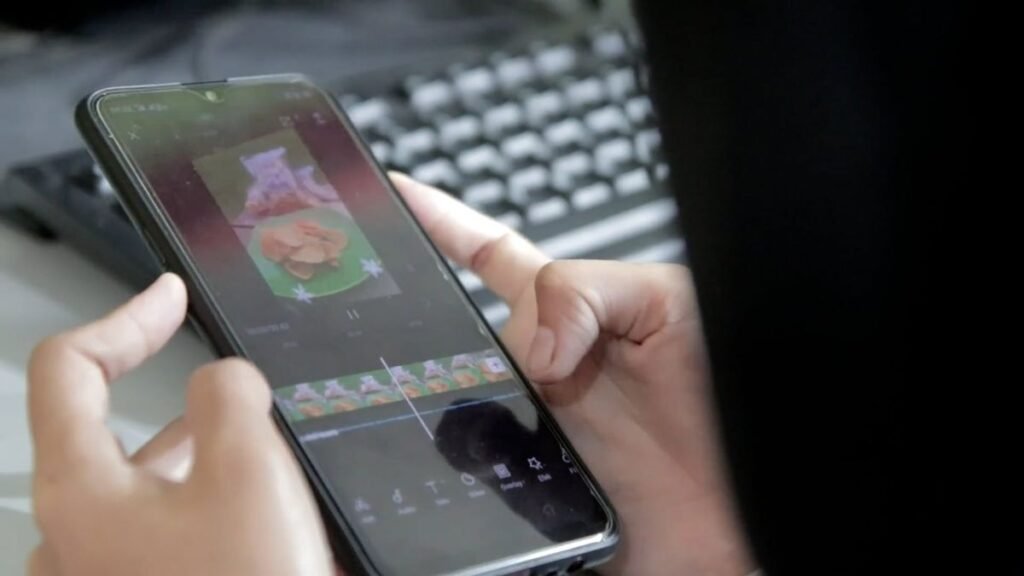
Social media videos need to do more than look polished. They have to capture attention quickly, communicate an idea clearly, and fit the format of each platform. A product demonstration for Instagram Reels, a tutorial for YouTube, and a short promotional clip for LinkedIn may use the same footage, but each requires a different editing approach.
Choosing the right video editing tool can make this process easier. Some platforms are designed for quick edits and ready-made templates, while others offer professional timelines, AI-assisted editing, and more detailed control over audio and visuals.
This guide covers five video editing tools for social media content, what each one does well, and the types of projects they are suited to. It also looks at practical features such as automatic captions, aspect ratio adjustments, AI editing, and content repurposing.
Table of Contents
Toggle1. Invideo Editor
Invideo editor combines a professional editing timeline with AI-assisted workflows, making it useful for creating different types of social media content. Creators can review footage, select usable takes, remove repetition, and assemble an editable first cut for Instagram Reels, YouTube videos, product demonstrations, and promotional campaigns. They can then refine the pacing, add titles, and adapt the edit to suit different platforms and audiences.
Through invideo MCP, users can connect ChatGPT, Claude, Claude Code, Codex, Cursor, and other MCP clients to Invideo editor for timeline editing, color correction, audio mixing, and media generation.
Its agentic sound design tool also turns creative direction into a layered sound bed, combining background ambience, music, and precisely timed effects directly on the timeline. For example, a creator producing a product promotion can build the visuals, adjust the soundtrack, and prepare different versions for social media while retaining control over every edit.
Best suited to: Social media teams, marketers, and creators producing promotional videos, short-form content, and multi-platform campaigns.
2. CapCut
CapCut is widely used for creating short-form social media videos. Its editing interface includes trimming, transitions, effects, text overlays, audio tools, and templates. These features make it practical for creators who publish frequently and need to produce content in vertical formats.
One of its useful features is automatic caption generation. Captions can make videos easier to follow when viewers watch without sound, particularly on platforms where people scroll through content quickly. Users can edit the generated text, change its appearance, and position it to suit the video.
CapCut also includes background removal, visual effects, filters, and tools for adjusting video speed. A creator making a product demonstration, for instance, can combine close-up shots, on-screen instructions, music, and captions without building a complex editing workflow.
Best suited to: Creators producing Instagram Reels, TikTok videos, and YouTube Shorts.
3. Adobe Premiere Pro
Adobe Premiere Pro is a professional video editing application suited to social media projects that require detailed control over the final output. Its timeline supports multiple video and audio tracks, allowing editors to work with interviews, product footage, voiceovers, graphics, and music in one project.
For social media teams, its editing and finishing tools are useful when a campaign needs several versions of the same video. An editor can create a horizontal version for YouTube, a vertical cut for Reels, and a shorter promotional edit for another platform. Each version can be adjusted for its intended audience rather than simply cropped from the original.
Premiere Pro also offers AI-assisted features for tasks such as transcription, text-based editing, and caption creation. These can help reduce the time spent handling dialogue-heavy footage. Editors still have control over the sequence, timing, visual effects, and final export settings.
Best suited to: Professional editors, agencies, and marketing teams producing multiple versions of social media campaigns.
4. Canva
Canva is a practical choice for teams that create social media videos alongside graphics, presentations, and other marketing assets. Its video editor includes templates, text animations, transitions, stock media, and design elements that can be combined into short promotional videos.
Its main advantage is the connection between video editing and graphic design. A small business can create a product announcement using brand colors, add animated text, include product images, and prepare matching social media graphics within the same design workflow. This can help maintain visual consistency across posts.
Canva is particularly useful when the content does not require extensive footage editing. Users can start with a template, replace its text and visuals, adjust the timing, and prepare a video for the intended platform. For projects involving complex footage arrangements or detailed audio work, a dedicated video editor may offer more control.
Best suited to: Small businesses, social media managers, and teams creating branded promotional content.
5. Descript
Descript approaches video editing through text. It transcribes recorded speech and presents the transcript alongside the video, allowing users to edit spoken content by changing the text. Removing a sentence from the transcript also removes the corresponding section from the recording.
This workflow is useful for social media content based on interviews, podcasts, webinars, tutorials, and talking-head recordings. Instead of searching manually through a long recording, creators can review the transcript, identify relevant sections, and remove unnecessary dialogue.
Descript also offers tools for removing filler words, improving audio, and adding captions. These features can help turn a longer recording into shorter clips for social media. For example, a business sharing an expert interview can identify a useful answer, remove unrelated sections, and prepare a focused clip with captions.
Best suited to: Podcasters, educators, interview-based creators, and businesses repurposing recorded conversations.
How to Choose a Video Editing Tool for Social Media
The right editor depends on your content format, production frequency, and editing requirements. Before choosing a platform, consider the following factors.
1. Match the Tool to Your Content Format
Think about the videos you publish most often. Short promotional clips may only need trimming, captions, music, and text overlays. Interviews and tutorials may require transcript-based editing, while product campaigns often need more control over footage, sound, and graphics.
Choose a tool that supports your regular workflow rather than paying for features you rarely use.
2. Check Aspect Ratio and Export Options
Different platforms favor different video formats. Vertical video is common for Reels, TikTok, and Shorts, while YouTube also supports horizontal content. Look for an editor that makes it practical to adjust aspect ratios, reposition subjects, and create separate versions for different channels.
Check export resolution and file format options as well, especially if your videos are part of a larger campaign.
3. Consider AI Editing Features
AI tools can assist with transcription, caption generation, footage selection, audio cleanup, and repetitive editing tasks. These features are useful when you publish regularly or work with lengthy recordings.
However, automated edits still need review. Check whether the tool lets you adjust the timeline, correct captions, change clip timing, and refine the final sequence.
4. Think About Collaboration and Workflow
If several people contribute to video production, consider how they will review and revise projects. Shared projects, editable timelines, feedback options, and export flexibility can make collaboration easier.
For teams using AI-assisted workflows, it is also worth checking whether edits remain visible and accessible for manual refinement.
Final Thoughts
The best video editing tool for social media depends on the type of content you create and how much control you need. CapCut is useful for short-form videos, Canva connects video production with graphic design, Descript suits spoken content, and Premiere Pro provides detailed editing controls. Invideo editor offers a professional timeline with AI-assisted editing, MCP connectivity, and agentic sound design for teams that want to combine creative direction with hands-on editing.
Before settling on a platform, test it with a typical social media project. Try creating a short vertical video, adding captions, adjusting the audio, and exporting a second version for another channel. This gives you a clearer idea of how well the tool fits your actual production needs.