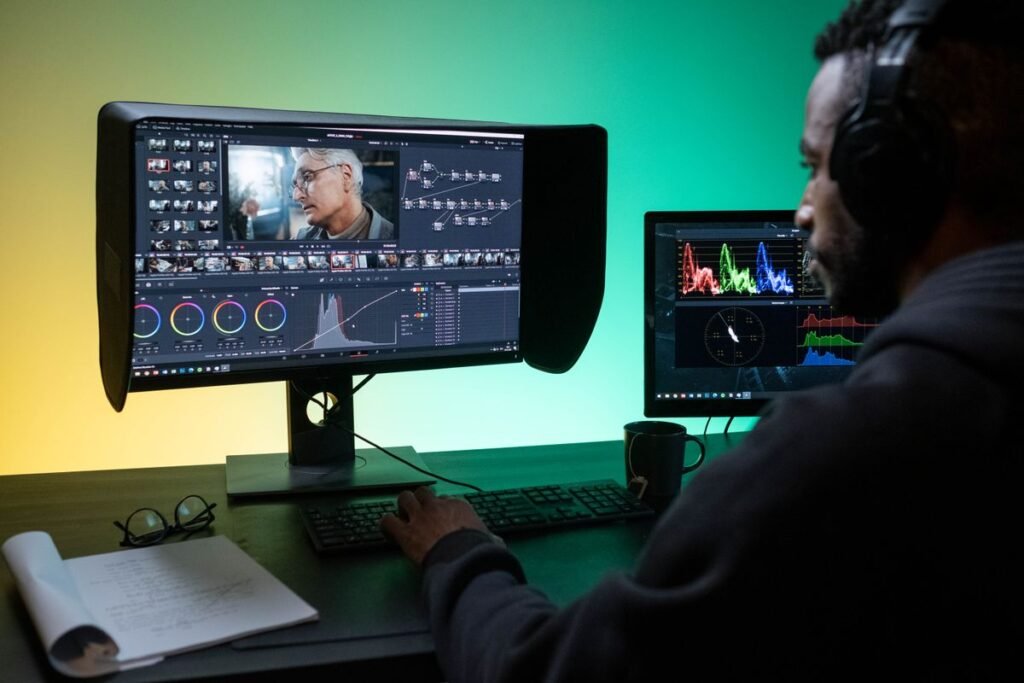
Video plays an important role in marketing, from social media campaigns and product demonstrations to customer stories and promotional content. Marketing teams often need to create several versions of the same video, adapt content for different platforms, and maintain consistent branding across campaigns. The right video editor can make these tasks easier while giving teams enough control over the final result.
Online video editors offer different approaches to the process. Some focus on editing long recordings into shorter clips, while others provide tools for subtitles, social media formatting, or detailed timeline editing.
Here are six video editors worth considering, along with the types of marketing workflows each one supports.
Table of Contents
ToggleInvideo Editor: For AI-Assisted Timeline Editing
Invideo editor combines AI-assisted editing with a professional editing timeline, helping marketing teams work through raw footage and assemble an initial cut. It can review recordings, identify usable takes, remove repetition, and organize footage into an editable sequence. This is useful when teams have long interviews, product demonstrations, talking-head recordings, or other footage that needs substantial review before the final edit.
Its AI rough cut editing workflow lets users upload raw footage, provide direction, and receive an editable rough cut directly on the timeline. Teams can then review the sequence, refine individual cuts, and make their own editorial decisions. The project remains editable, so the AI supports the production process without taking away control over the final video.
Invideo MCP also connects tools such as ChatGPT, Claude, Claude Code, Codex, and Cursor to invideo editor. Teams can use these MCP clients to direct timeline edits, color correction, audio mixing, and media generation. Changes appear live in the editor, where users can review the work, make manual adjustments, and take over at any frame.
Why it's best: Invideo editor is a strong choice for teams that work with substantial raw footage and want AI assistance without giving up timeline control. Its combination of rough cut editing, MCP connectivity, and hands-on refinement supports a more flexible production workflow.
OpusClip: For Turning Long Videos Into Short Clips
OpusClip focuses on repurposing long-form videos into shorter clips for social media. Marketing teams working with webinars, interviews, podcasts, and recorded presentations can use it to identify potential highlights without manually reviewing every section of a recording.
The platform uses AI to find engaging moments and create shorter clips, with features for captions, reframing, and adapting content for vertical formats. This can help teams build a collection of social media posts from a single recording. It is particularly useful for content repurposing workflows, although teams looking for detailed, frame-by-frame editing may need a separate editor for more involved post-production.
Why it's best: OpusClip works well for marketing teams that regularly publish short-form content from longer recordings. Its highlight detection and clip-generation workflow can reduce the time spent finding and preparing social media segments.
CapCut: For Social Media and Short-Form Video Editing
CapCut offers a range of editing tools suited to short-form marketing content. Teams can use it to trim clips, arrange footage, add text, apply transitions, include music, and create videos for platforms such as TikTok, Instagram, and YouTube. Its templates and effects can also help marketers produce content quickly when working with recurring formats.
Features such as automatic captions, background removal, and aspect-ratio adjustments support common social media editing tasks. CapCut can be useful for teams that publish frequently and need an accessible way to create platform-specific content. However, teams managing complex projects or requiring more advanced timeline workflows should evaluate whether its editing capabilities meet their production needs.
Why it's best: CapCut is a practical option for teams focused on frequent social media publishing. Its combination of templates, effects, captions, and everyday editing tools makes it suitable for producing short-form videos in different formats.
VEED: For Subtitles and Multilingual Video Content
VEED is an online video editor with tools for captions, transcription, subtitles, and video translation. These features make it useful for marketing teams producing content for audiences across different regions or creating videos that need to communicate clearly without sound.
Teams can also use VEED to trim footage, add text and graphics, resize videos, and make basic visual adjustments. Its subtitle and transcription tools can reduce the manual work involved in preparing social media videos, tutorials, and product explainers. Automated captions and translations should still be reviewed before publishing to catch errors in names, terminology, and context.
Why it's best: VEED is well suited to teams that prioritize captions and multilingual content. Its transcription, subtitle, and translation features support video accessibility and help marketers adapt content for different audiences.
Submagic: For Caption-Focused Social Media Videos
Submagic is designed around creating and polishing short-form videos, with a particular focus on captions and visual elements that support social media content. It can help marketing teams turn talking-head recordings, interviews, and other footage into clips with animated subtitles, highlighted words, and additional on-screen elements.
Its workflow is useful when teams want to make spoken content easier to follow and give clips a consistent presentation. Submagic can also support tasks such as removing silences, adding B-roll, and formatting videos for social platforms. It is more specialized than a full professional video editor, so teams that need extensive timeline control or complex post-production may want to pair it with another tool.
Why it's best: Submagic is a good fit for teams that publish talking-head videos, interviews, and other speech-led social content. Its caption styling and short-form editing features help make these videos more visually engaging and easier to follow.
Movavi Video Editor: For General-Purpose Marketing Video Editing
Movavi Video Editor provides a more traditional editing workflow for teams that need to assemble and polish marketing videos. It includes tools for trimming clips, arranging footage, adding titles, transitions, filters, and audio, making it suitable for promotional videos, product demonstrations, presentations, and other campaign assets.
The interface is designed to make common editing tasks accessible without requiring an advanced post-production background. Marketing teams can use it to combine footage, images, voiceovers, and music into a finished video.
Why it's best: Movavi Video Editor suits teams that want a straightforward, general-purpose editing tool for creating campaign videos. Its combination of timeline editing, titles, transitions, and audio tools supports a range of everyday marketing projects.
How to Choose the Right Online Video Editor
The best video editor depends on the type of content your team produces and how much control the editing process requires. A team creating short social media clips from webinars may prioritize automatic highlight detection and captions. A team producing product videos or campaign films may need a more flexible timeline, detailed audio controls, and options for refining individual shots.
Consider the following factors when comparing tools:
- Content requirements: Identify whether you mainly produce short clips, interviews, product demonstrations, ads, tutorials, or longer marketing videos.
- Editing control: Check whether the editor supports the level of timeline control, trimming, sequencing, and refinement your projects require.
- Captions and localization: Look for transcription, subtitle styling, and translation features if your content serves different audiences or regions.
- Brand consistency: Consider whether you can maintain consistent fonts, colors, graphics, and visual styles across multiple campaigns.
- Team workflow: Review how easily team members can collaborate, share feedback, and make changes to ongoing projects.
- Publishing formats: Make sure the editor supports the aspect ratios and export formats needed for your distribution channels.
It is also worth distinguishing between tools designed to automate specific tasks and editors built for broader production workflows. OpusClip and Submagic, for example, focus on short-form content and repurposing, while invideo editor supports AI-assisted work on an editable timeline. Choosing based on your actual production process can help avoid relying on a specialized tool for tasks it was not designed to handle.
Final Thoughts
The six tools serve different needs across the video marketing process. OpusClip and Submagic are useful for repurposing recordings into short-form content, while CapCut and VEED support social media editing, captions, and quick adjustments. Movavi Video Editor offers a general-purpose editing workflow, and invideo editor combines AI-assisted tasks with an editable professional timeline.
Before choosing, consider the formats you publish, the amount of footage you handle, and how much editing control your team needs. Testing a few tools with a real marketing project can help you understand which one fits your workflow and makes content production easier to manage.